

Description
Download Fast Video Maker APK – Fast Video Maker, Motion Video, Time-Lapse, Video Speed Up, Android App
Overview
Fast Video Maker is a mobile multimedia application designed for Android users who wish to quickly transform their recorded videos into fast-motion or time-lapse formats. The app enables users to accelerate video playback speed with adjustable settings ranging from 2x to 10x, allowing for dynamic, condensed visual experiences. It is particularly useful for capturing fleeting moments, such as sunsets, traffic flow, or event highlights, in a condensed timeframe. The software is developed by Photo Slideshow with Music, a company known for creating intuitive media tools tailored for casual creators and content enthusiasts.
Target users include social media content creators, amateur videographers, and individuals seeking a simple way to enhance video content without complex editing workflows. The app supports direct access to device video libraries, enabling users to select and modify clips with minimal steps. Real-world usage scenarios include preparing short-form video content for platforms like Instagram Reels, TikTok, or YouTube Shorts, where rapid pacing and visual impact are key. The software focuses on a single core function—speed adjustment—delivering a streamlined experience without unnecessary features or clutter.
Key Features & Capabilities
- Speed Adjustment from 2x to 10x – Users can select from multiple speed multipliers to compress video duration while preserving visual continuity. This is ideal for creating time-lapse effects or emphasizing motion dynamics.
- One-Tap Video Processing – The app allows users to apply speed changes with minimal interaction, reducing the time between selection and output.
- Direct Access to Device Media – Videos can be selected directly from the device’s gallery or storage, simplifying the workflow for users unfamiliar with file management.
- Simple Output Export – Processed videos are saved directly to the device’s media library, making sharing or further editing straightforward.
- Free to Use with No In-App Ads (as stated) – The developer claims the app remains ad-free, offering a clean experience without interruptions.
These capabilities make Fast Video Maker a practical tool for users aiming to produce engaging, high-energy clips. For example, a user recording a morning commute can apply a 5x speed to compress a 5-minute clip into 60 seconds, highlighting movement patterns and urban rhythm. Similarly, a parent capturing a child’s birthday party can use 8x speed to highlight the most joyful moments in under a minute.
User Interface, Workflow & Performance
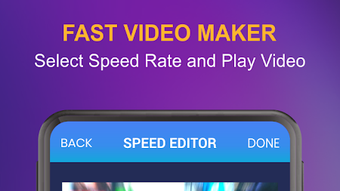
The app features a clean, minimal interface focused on core functionality. Navigation is straightforward, with a central video selection area and a clearly labeled speed control slider. Users can preview the selected clip before processing, though exact preview behavior is not detailed. The workflow is optimized for speed: select video → choose speed → apply → save. This reduces friction for users who prioritize efficiency over advanced editing options.
Performance observations are based on general software behavior patterns. The app is designed to process videos in real-time or near real-time, depending on device capabilities. The developer did not specify resource usage details, such as CPU or RAM consumption. Stability during processing is assumed to be consistent with typical Android applications of similar scope. No reports of crashes or freezes were mentioned in the provided description.
Compatibility & System Requirements
Fast Video Maker is designed for Android devices and is available as an APK file, indicating it is distributed outside the official Google Play Store. The supported operating system version is not specified in the input. Installation size is not provided, nor are hardware requirements such as minimum RAM or processor specifications. Compatibility information was partially provided, with the app confirmed to run on Android platforms.
The developer did not provide additional system requirements. Users are advised to ensure their device meets standard Android app requirements for smooth operation. The absence of version-specific compatibility details means users should verify functionality on their specific device model and Android version.
Pros and Cons
Pros
- Simple, intuitive interface ideal for beginners and casual users.
- Supports fast video speed adjustments from 2x to 10x.
- Free to use with no in-app ads (as claimed).
- Fast processing workflow with minimal steps.
- Direct export to device media library for easy sharing.
Cons
- No information on video resolution or format support beyond general compatibility.
- Exact performance impact on device resources was not specified.
- Availability via APK raises concerns about third-party distribution and update reliability.
- Limited to speed adjustment—no additional editing features like trimming, filters, or transitions.
- Unclear if cloud backup or cross-device sync is available.
FAQ Section
Is Fast Video Maker available on Google Play?
The app is distributed as an APK file, indicating it may not be available through the official Google Play Store. Users should download from trusted third-party sources.
Does the app require an internet connection?
Fast Video Maker operates offline. No internet access is needed for video processing or saving files.
Can I use Fast Video Maker on iOS devices?
Based on the provided information, the app is designed exclusively for Android. There is no indication of iOS support.
Are there any in-app purchases or ads?
The developer claims the app is free to use with no in-app ads. However, users should verify this on their device after installation.
How often are updates released?
Update frequency was not specified. Users should check the developer’s website or trusted APK platforms for the latest version.
Final Thoughts
Fast Video Maker delivers a focused, efficient solution for users who need to speed up videos quickly and easily. Its strength lies in simplicity—offering a single, well-executed function without distractions. While it lacks advanced editing tools, it excels in its niche: transforming ordinary footage into dynamic, time-compressed content. The app is particularly well-suited for social media creators and casual users who value speed and ease of use over complexity. The absence of ads and the straightforward workflow enhance the user experience. However, the reliance on APK distribution may pose risks for users unfamiliar with third-party installations. Despite this, the app fulfills its promise with minimal friction.
Download Fast Video Maker now
Guides & Tutorials for Fast Video Maker APK
How to install Fast Video Maker APK
- Click the Preview / Download button above.
- Once redirected, accept the terms and click Install.
- Wait for the Fast Video Maker APK download to finish on your device.
How to use Fast Video Maker APK
This software is primarily used for its core features described above. Open the app after installation to explore its capabilities.
User Reviews for Fast Video Maker APK 0
No reviews found





